Eleventy in a Box
A premium Eleventy starter kit for designers and developers who want to spend less time setting up the same project structure and more time designing websites.
Since we came back from holiday, we’ve been attempting to spend equal time on work and home improvements. But last week, I found it difficult not to press ahead with book production. I suppose decorating will have to wait.
I finished writing the manuscript a couple of weeks ago, and last week I started designing the book in InDesign. This is the first time I’ve typeset an entire book myself, and Alex had warned me about some of the pitfalls, especially when text reflows.
One of Alex’s tips was to work on each chapter in a separate InDesign file so changes to, say, chapter one don’t cause problems in later chapters. So I copied in the text from each chapter into a separate file and applied basic typography styles. Then, starting from the beginning, I began adding images. Seeing the pages finally come together felt good.
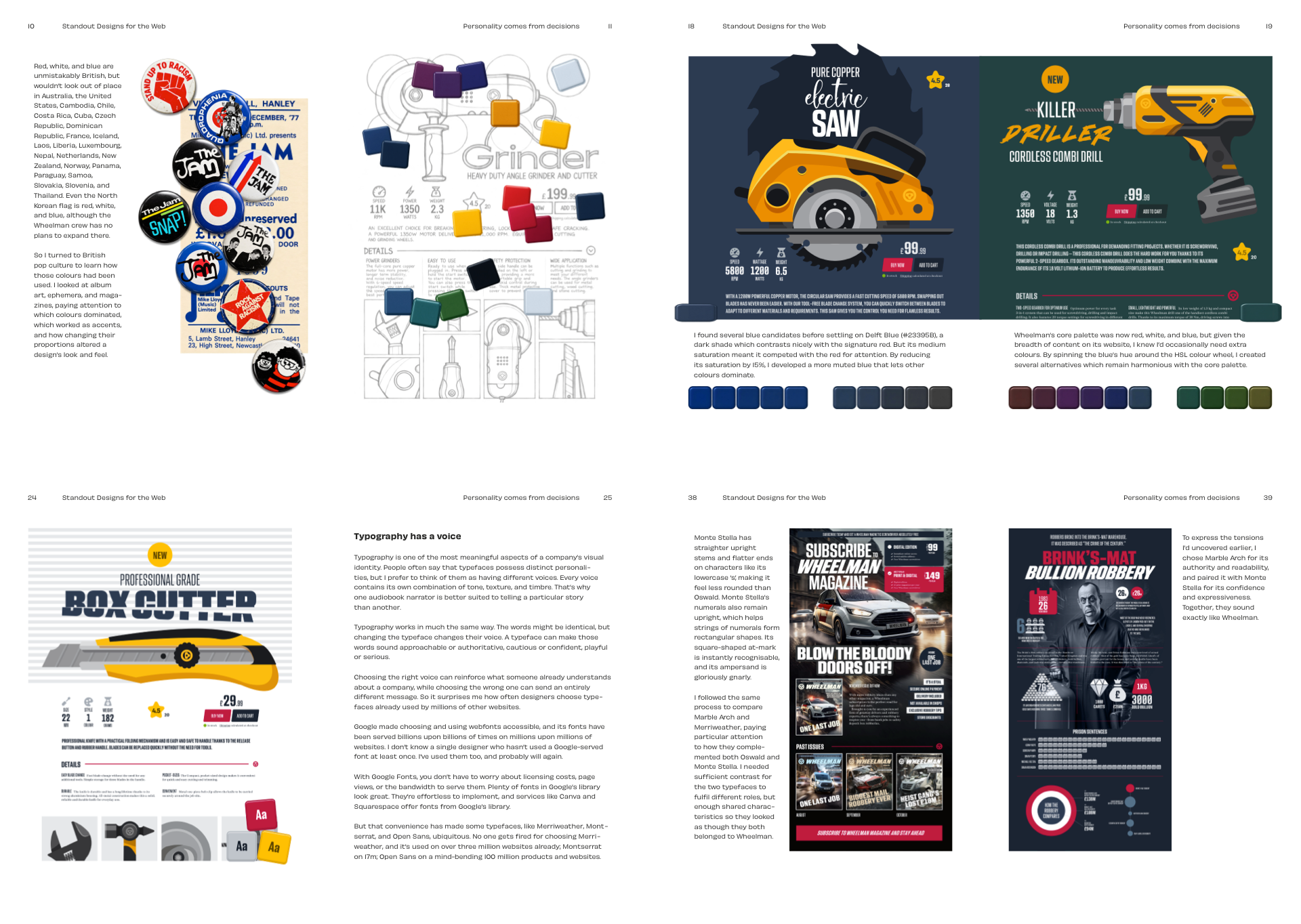
I’m incredibly picky about illustrations in my books. The book’s introduction and first two chapters aren’t the most image-intensive. But chapter three, “Designing with personality,” is an entirely different story. After working on about six pages, I exported a PDF as spreads and looked at them on my phone. This zoomed-out view helped me understand how the pages flowed with the illustrations in place, and by the end of the week I had proofed three of the five chapters.
I haven’t used AI for much more than catching grammar and tense issues, but for helping with illustrations, it’s been invaluable and has saved me potentially days of work. It’s been the biggest help in creating parts of the images for the inspiration section, like this selection of old button badges.
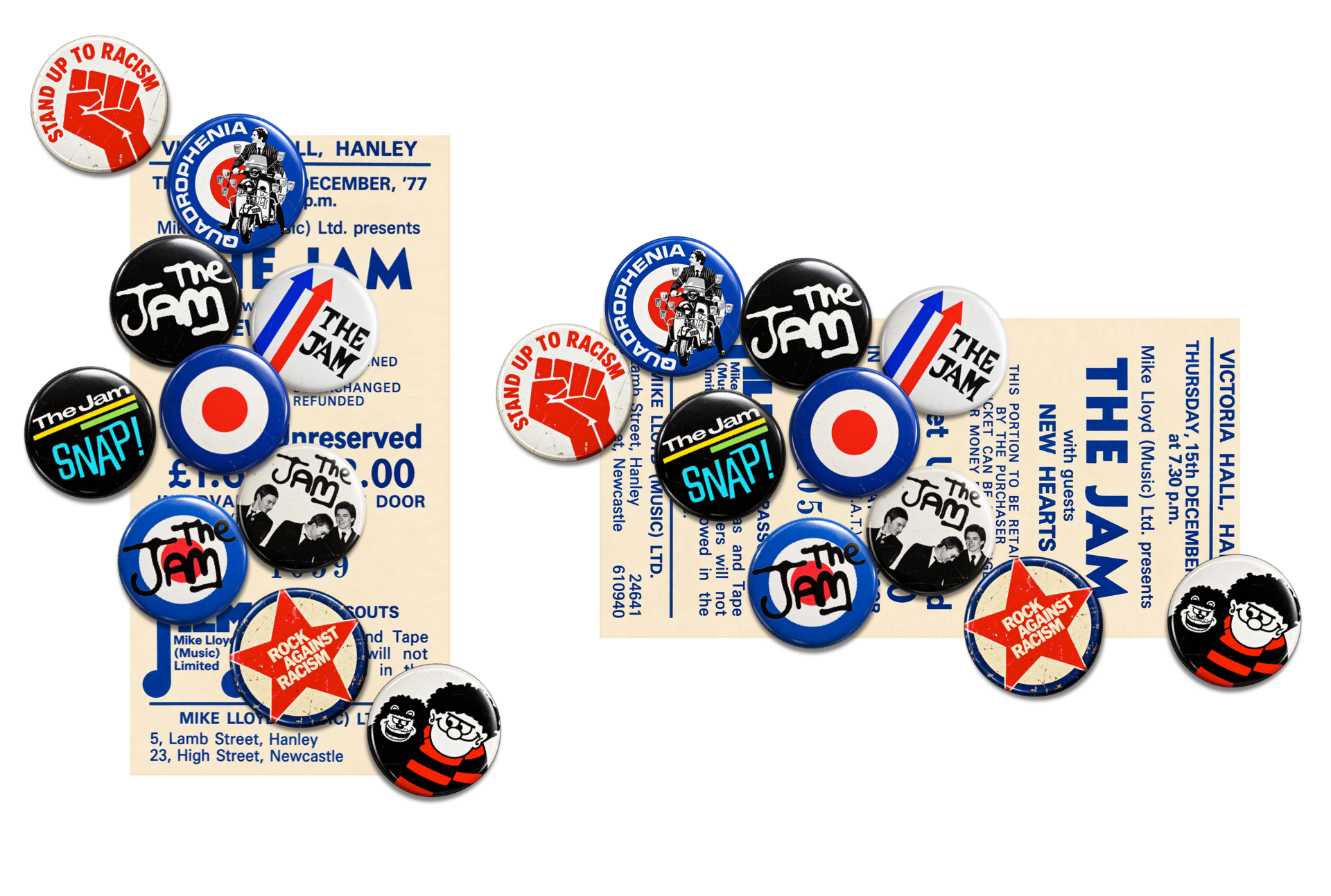
In the past, I would’ve spent hours finding badge designs online, often with dubious quality and inconsistent lighting that would’ve meant hours in Photoshop to bring each badge up to the same level. For that image, I found the artwork online, cropped and cleaned up the source image in Photoshop, then asked AI to create a button badge with just the right amount of bevel, highlight, and shadow. That way, I got a set of badges in far less time, which meant I could spend that time on more creative parts of the job. I still think twice before using AI for any part of my job, but there’s no question it can make certain aspects of my work not just faster, but better.
Speaking of AI, I wrote Standout Designs for the Web in Markdown using iA Writer, so over the weekend I asked Codex to convert those text files into HTML and add the relevant formatting ready for ebook production. Minutes later, I had HTML I could view in a browser. Seeing the book in a single column made me realise that some images would need entirely different layouts for the ebook, so I went ahead and made alternative versions. That way, ebook production can go hand in hand with the polished PDF rather than becoming a separate part of the process later.
I have a new client project over the next few weeks, which means book production will be limited to evenings and weekends. So, I guess decorating will have to wait a little longer.

I’m Andy Clarke. I’ve spent over thirty years helping clients create memorable websites. I’m also the author of five books on web design.
Planning a new website? I’d love to help you create something memorable.
A premium Eleventy starter kit for designers and developers who want to spend less time setting up the same project structure and more time designing websites.
Contract Killer is plain and simple and there’s no legal jargon. It’s customisable to suit your business and has been used on countless web projects since 2008.
Free compound grid and modular grid layout generators, plus a set of HTML/CSS layout templates you can call on to make more interesting layouts, available to buy.