Standout Designs for theWeb
I’ll show you how to uncover a company’s story, develop a distinctive visual language, and combine colour, typography, and layout to create designs that people remember.
After twenty years of working with publishers and designers, I’ve taken on every aspect of producing my new book. Here’s how I created the layouts, grids, and visual language for Standout Designs for the Web.
I think I’m possibly a publisher’s worst nightmare when it comes to designing books. I like things just so, and I’m very particular about how my pages are laid out.
I worked with New Riders back in 2005 on Transcending CSS. Writing that book was a nightmare, and it got even worse when the publisher sent sample layouts for me to approve. They weren’t at all like I’d imagined, so I spent days making mockups for them to use as references. Needless to say, they weren’t exactly thrilled at the prospect of designing that book my way, but it turned out better because of it.
I didn’t want to repeat that experience in 2010 when Five Simple Steps and I worked on the original Hardboiled Web Design. Designing that book felt like chalk and cheese compared to Transcending CSS. I spent long days with their designer, working meticulously through the book’s design, and their commitment really shows in the finished product.
For Art Direction for the Web, Smashing Magazine admitted early on that their design team couldn’t design the book the way I wanted, and they’d need outside help. I suggested they hire my daughter Alex—a PhD student at the time—and we spent several months of evenings screen-sharing over video to craft the book’s layout page by page.
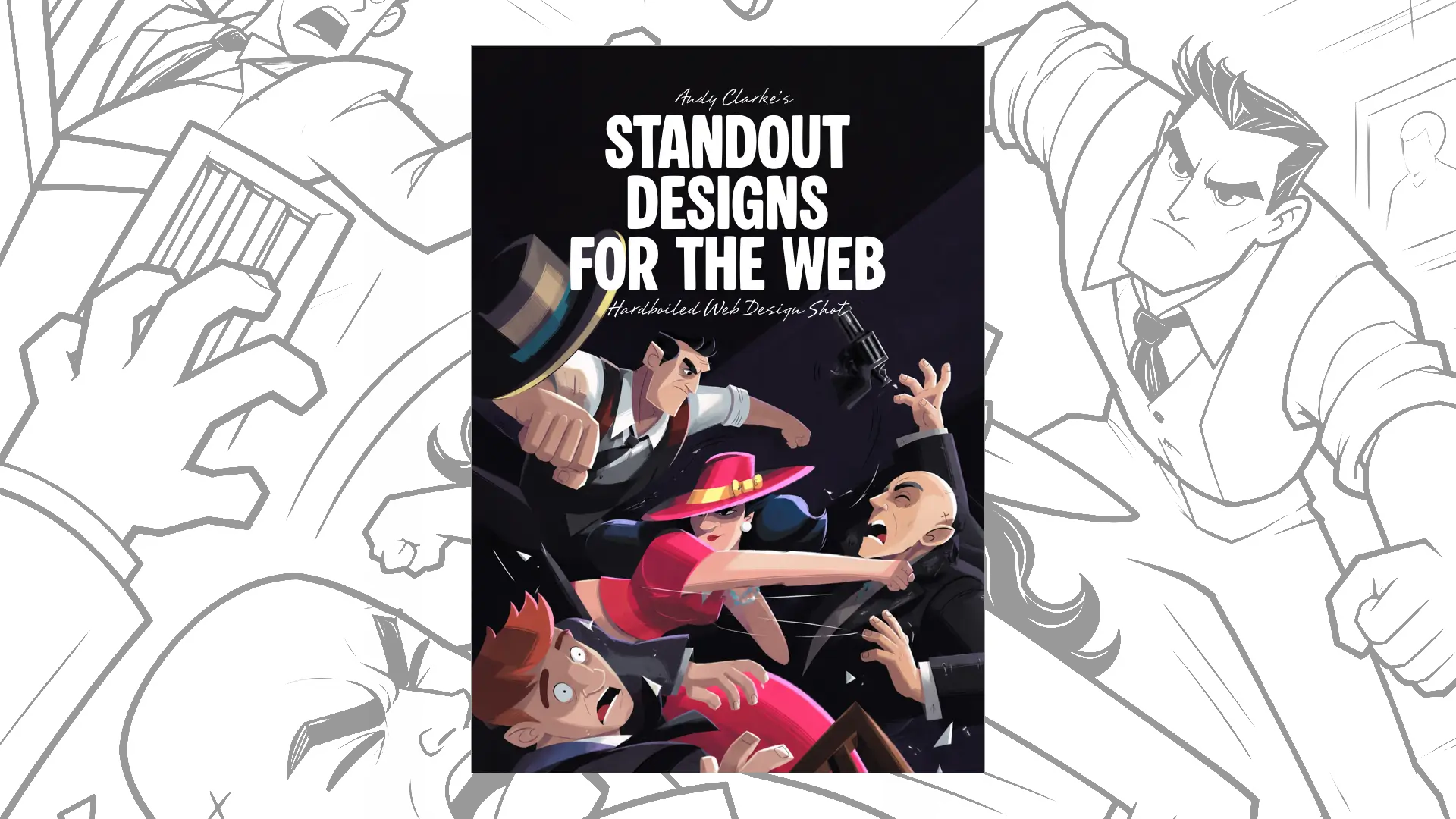
Stuff & Nonsense is publishing Standout Designs for the Web, so this time the book’s writing, design, and production are all my responsibility. Working on my previous books and with Alex had taught me a lot, and although I knew there’d be plenty of work, I wasn’t daunted. Plus, I had Smashing Magazine’s InDesign template for Art Direction for the Web, which gave me a head start.
Before I started, I asked Alex for advice on adapting the template to the new book. This was the first time I’d used InDesign to typeset anything longer than an eight-page brochure, so Alex explained the document setup and helped me get my swatches and typography styles ready in advance.
To avoid reflow problems, Alex suggested that I work on each chapter in its own file. This turned out to be great advice. I pasted my original Markdown-formatted content into InDesign and typeset the plain text before adding images or thinking about page or section breaks. For the text, I chose Obviously by OH no Type Co. It’s the same typeface I use on my website, and I chose it because it has plenty of styles and weights.
Alex also suggested creating two grids: a six-column grid for the running text and a modular grid for arranging groups of images. Again, this advice was priceless. It gave me the flexibility to arrange images in lots of different ways while keeping everything consistent.
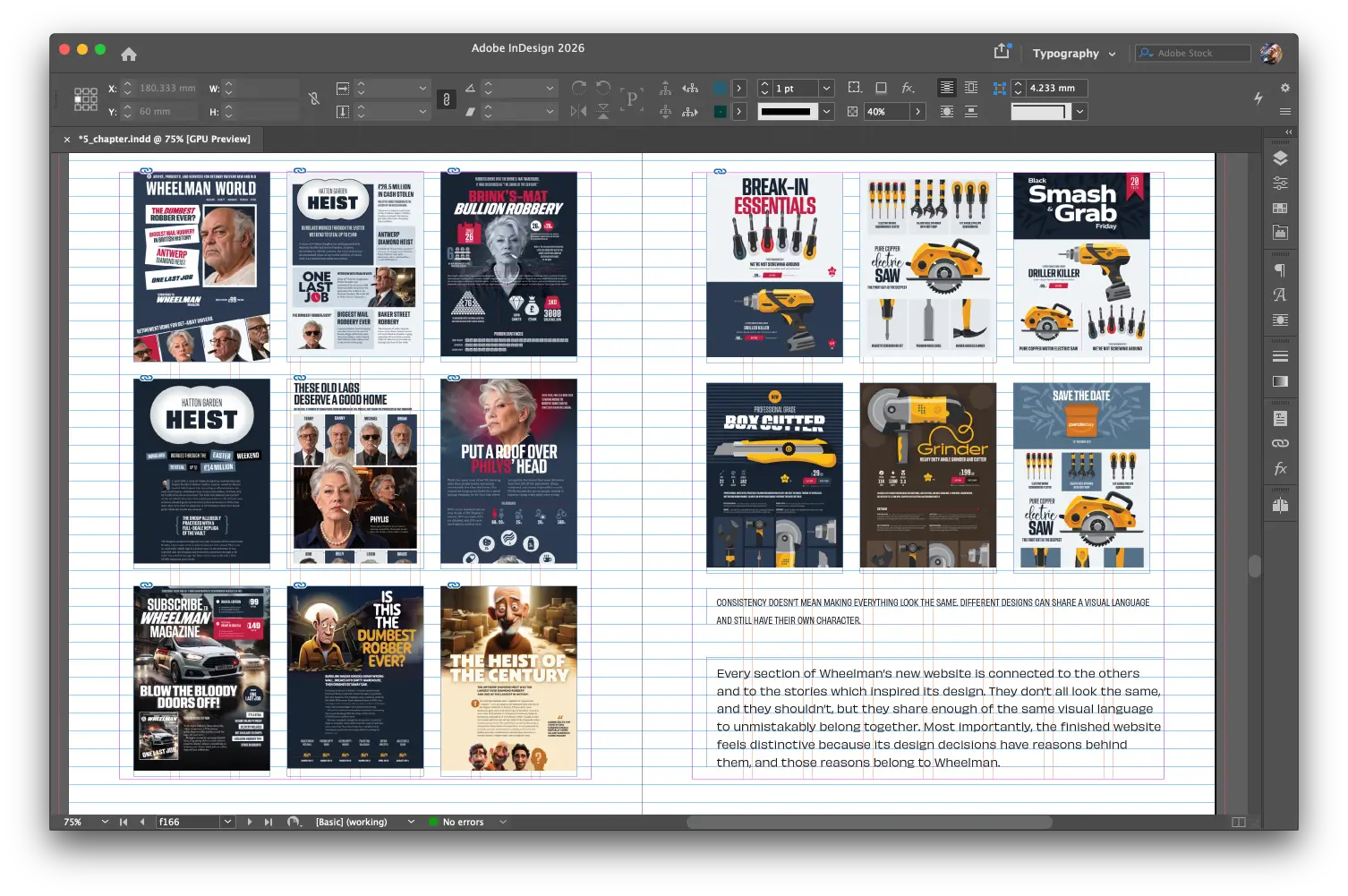
Sometimes pages include both images and text, so they use both grids, like these pages which show Wheelman’s connected designs.
Although most people will read Standout Designs for the Web as either a single-column EPUB or a single-page PDF, I wanted the double-page spread designs to feel balanced. I hope I find a suitable print-on-demand service soon so people can see these spreads in the format I designed them for.
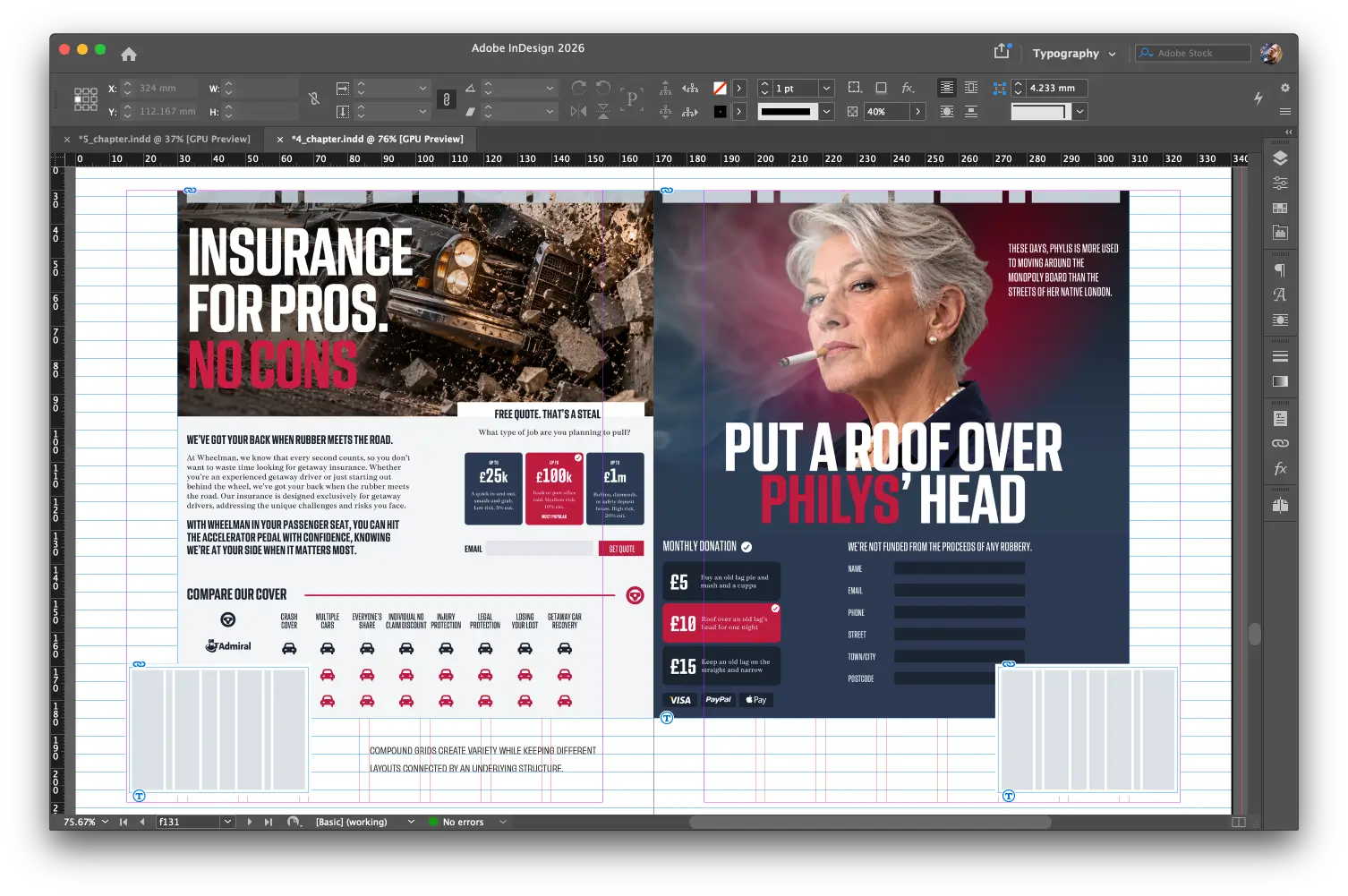
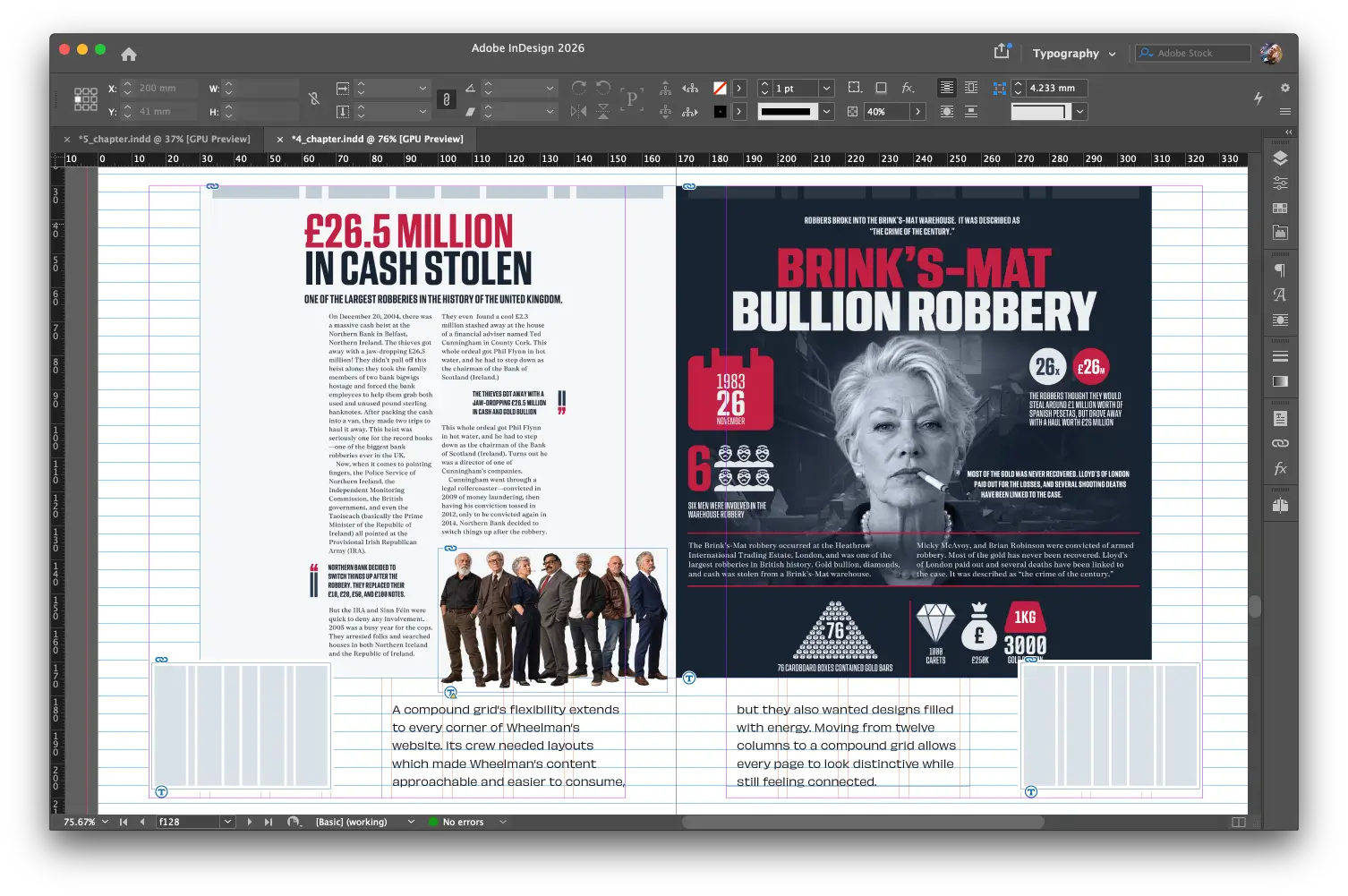
For example, in Chapter 4, I demonstrate how using a compound grid can help several page designs feel connected, even if they look very different. I designed the two sides of the spreads to mirror each other, but I also made sure they make sense as individual pages.
That meant resisting the urge to let too many elements cross the gutter onto the opposite page. But ifwhen I do release a print version, I will definitely go back and redesign a few spreads to take advantage of a printed book’s guaranteed recto/verso format.
Focusing on typesetting Standout Designs for the Web over several weeks also allowed me to develop a set of conventions for the book. I didn’t start with a fixed idea; instead, I let a visual language evolve. For example, I use square chip shapes every time I mention colour.
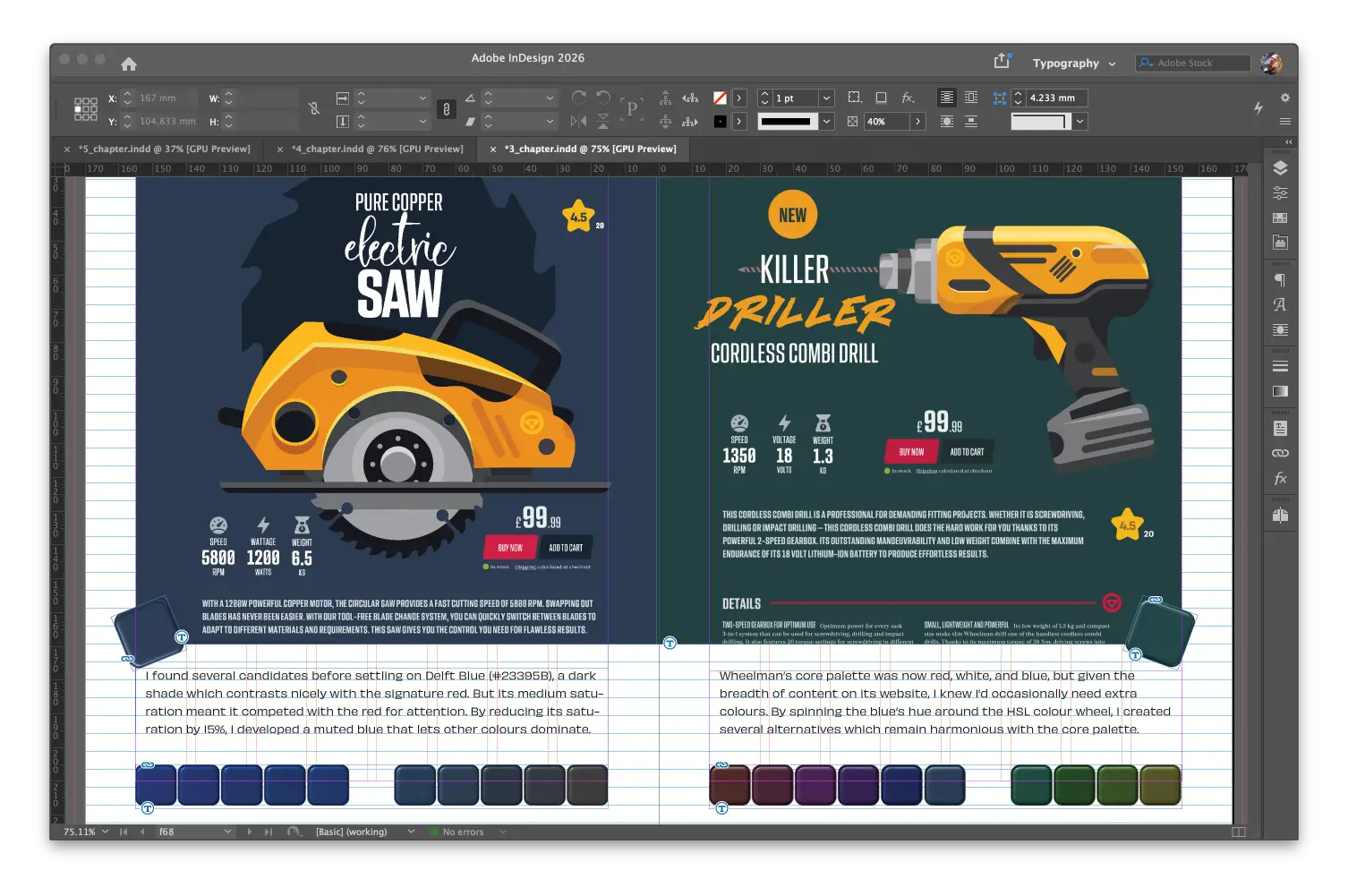
I use hand-drawn versions of page designs so they don’t distract from the colour or typography examples I’m explaining.
The colours in the book match the red, white, and blue palette from the Wheelman examples. This makes the entire book feel consistent and stops the example designs from looking out of place.
I obsess over the example designs I include in my books, and I took that to another level for Standout Designs for the Web. I wanted a single project I could follow from start to finish and use to explain my design process.
I could’ve used a real client, but I wanted a project that could include a variety of content, including editorial, e-commerce, and services. Wheelman is a fictitious company that provides products and services to professional getaway drivers. It’s a ridiculous idea, but I approached designing for Wheelman just as seriously as I would any other client. I know I gave myself a head start using a fictitious company, but my real clients aren’t criminals. At least, not as far as I know.
And I wasn’t just concerned with the visuals. I gave Wheelman an entire backstory, from its founders and their mission to its brand values and design principles. I approached designing for Wheelman as I would a paying client. Creating the Wheelman designs took just as long as writing the manuscript, and I enjoyed it even more.
When I wrote my first books, I was only concerned about how the printed copies would look. It wasn’t until Art Direction for the Web that I even thought about the digital versions. With Standout Designs for the Web, I spent more time on the EPUB and created a new set of images that fit its single-column format better. But my goal was still to make the PDF the definitive version because it’s as close as I can get to a printed book.
Now I have the book looking exactly the way I wanted, and I wouldn’t have wanted to do it any other way.
Pre-orders for Standout Designs for the Web open on 12 November 2026, and it will be delivered on 20 November. Everyone who pre-orders will also receive the Hardboiled Client Interview Guide for free—a practical companion to help designers ask better questions and discover what makes a company distinctive.
£14.99 for the DRM-free EPUB and PDF editions.
I’ll show you how to uncover a company’s story, develop a distinctive visual language, and combine colour, typography, and layout to create designs that people remember.
I’m Andy Clarke. I’ve spent over thirty years helping clients create memorable websites. I’m also the author of five books on web design.
Planning a new website? I’d love to help you create something memorable.
Drawing on over thirty years of experience, I’ll show you how to uncover a company’s story, develop a distinctive visual language, and combine colour, typography, imagery, and layout to create designs that people recognise and remember.
A premium Eleventy starter kit for designers and developers who want to spend less time setting up the same project structure and more time designing websites.
Contract Killer is plain and simple and there’s no legal jargon. It’s customisable to suit your business and has been used on countless web projects since 2008.
Free compound grid and modular grid layout generators, plus a set of HTML/CSS layout templates you can call on to make more interesting layouts, available to buy.