Standout Designs for theWeb
I’ll show you how to uncover a company’s story, develop a distinctive visual language, and combine colour, typography, and layout to create designs that people remember.
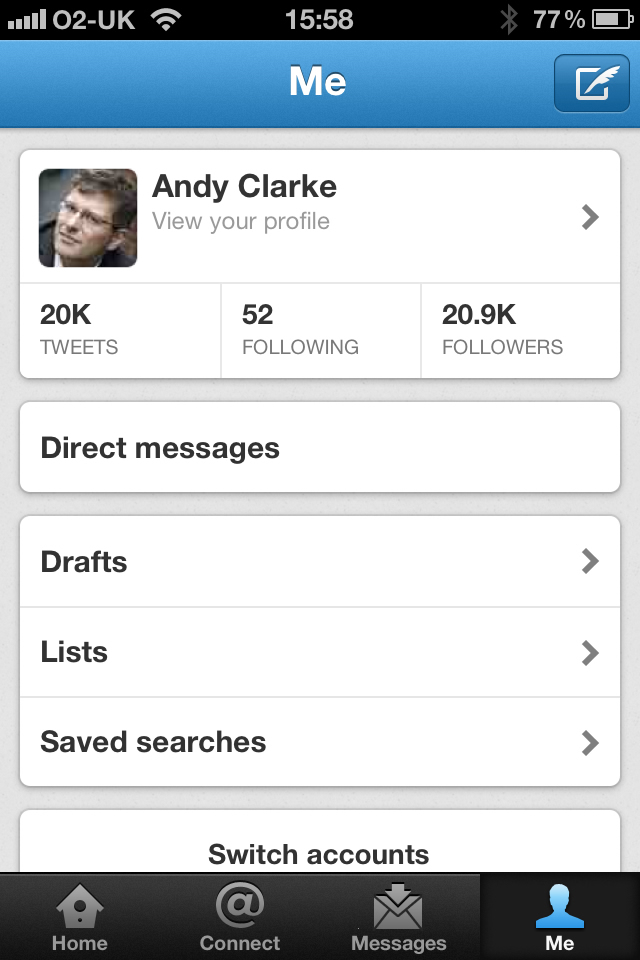
If you’ve been using Twitter and the Twitter app for iPhone for a while, you’ll probably miss having access to your direct messages in the toolbar since Twitter replaced it with the ‘discover’ button (whatever that does.) Don’t worry, because some friends of mine who work at Twitter in San Francisco showed me a way to unlock a hidden power user mode that puts DMs back in the toolbar.
Unlock Twitter for iPhone’s power user mode on Vimeo.
Unlocking Twitter for iPhone’s power user mode is easy and you won’t need to jailbreak your iPhone because — just like in some video games — pressing Twitter for iPhone’s buttons in a specific sequence will unlock the hidden mode.

2. Tap the new tweet button (the one with the feather) and type #twit.
3. Tap the Tweet button (don’t worry, the tweet won’t be sent.)
4. Press the iPhone’s Home button
5. Relaunch the app.
If you followed that sequence quickly enough, you’ll find that Discover has disappeared and has been replaced with Messages, giving you access to your DMs from the toolbar. Just where they should be.
I’ll show you how to uncover a company’s story, develop a distinctive visual language, and combine colour, typography, and layout to create designs that people remember.
I’m Andy Clarke. I’ve spent over thirty years helping clients create memorable websites. I’m also the author of five books on web design.
Planning a new website? I’d love to help you create something memorable.
Drawing on over thirty years of experience, I’ll show you how to uncover a company’s story, develop a distinctive visual language, and combine colour, typography, imagery, and layout to create designs that people recognise and remember.
A premium Eleventy starter kit for designers and developers who want to spend less time setting up the same project structure and more time designing websites.
Contract Killer is plain and simple and there’s no legal jargon. It’s customisable to suit your business and has been used on countless web projects since 2008.
Free compound grid and modular grid layout generators, plus a set of HTML/CSS layout templates you can call on to make more interesting layouts, available to buy.